

Modu.lite AppModu.lite App
App that creates nostalgic widgets for iPhoneApp que cria widgets nostálgicos para iPhone
A widget-making app that transforms your iPhone into a streamlined, nostalgia-inspired tool for reducing screen time.Um app de criação de widgets que transforma seu iPhone em uma ferramenta simplificada e inspirada na nostalgia para reduzir o tempo de tela.
- app UIUI do app
- UX DesignUX Design
- UX researchUX research
- Apple Search AdsApple Search Ads
- user testingtestes com usuários
- 20242024
Made in Apple Developer Academy at PUC-PRDesenvolvido na Apple Developer Academy da PUC-PR
Team: André Wozniack (developer), Gustavo Munhoz (developer), Brendo Grunevald (brand and graphic designer), Júlia Savaris (UX/UI designer)
Equipe: André Wozniack (desenvolvedor), Gustavo Munhoz (desenvolvedor), Brendo Grunevald (designer de marca e gráfico), Júlia Savaris (UX/UI designer)
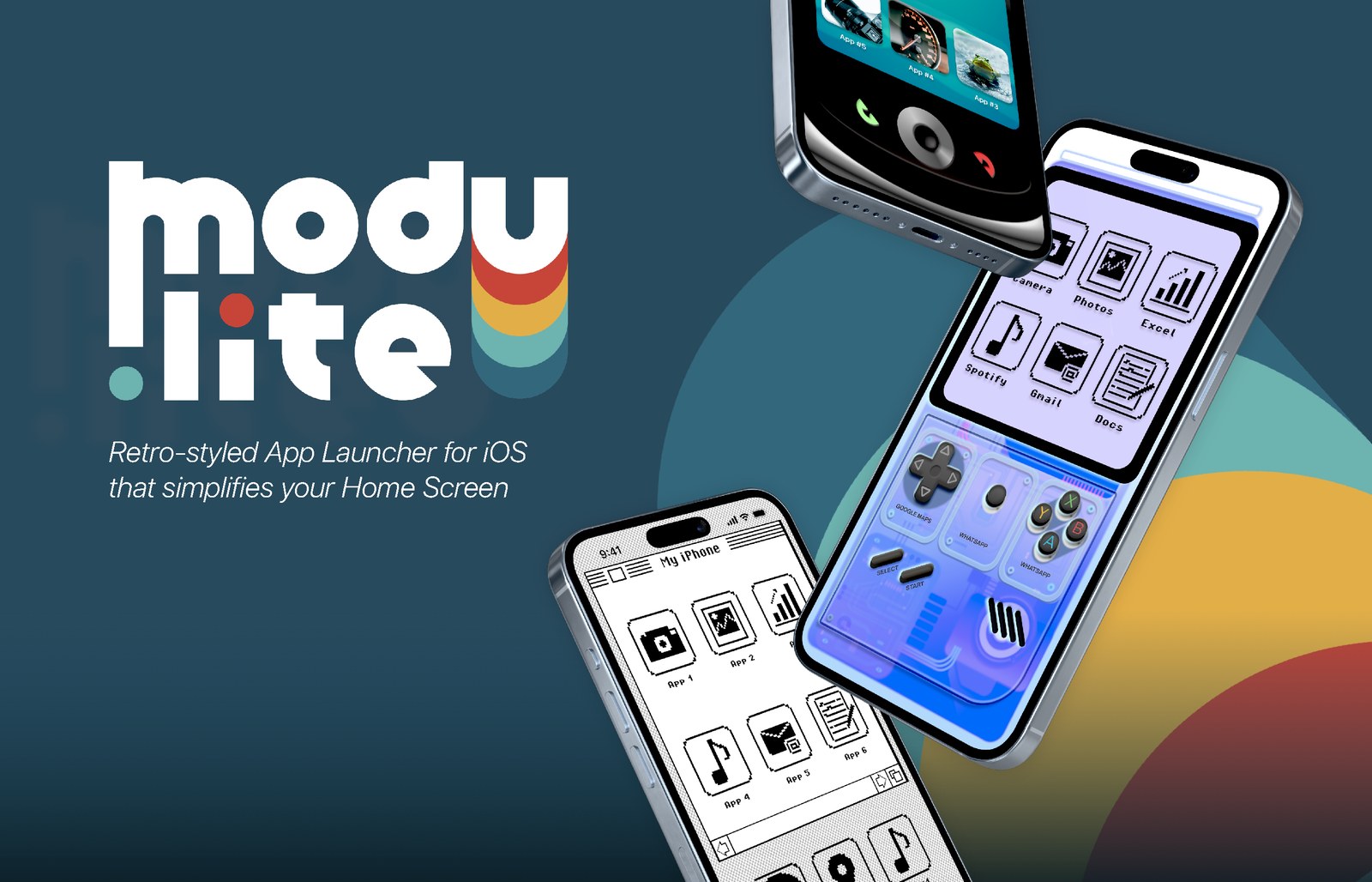
Modu.lite is a widget making app that aims to transform your device into a streamlined tool that only demands your attention when necessary.Modu.lite é um app de criação de widgets que busca transformar seu dispositivo em uma ferramenta simplificada que só demanda sua atenção quando necessário.
Unlike other minimalistic apps or “dumbification” apps that strip away all visual elements, Modu.lite draws inspiration from old analog devices to create interfaces that are both functional and visually appealing. By combining wallpapers and interactive widgets, Modu.lite offers a customizable experience that consolidates essential information in one place.Diferente de outros apps minimalistas ou apps de “dumbification” que removem todos os elementos visuais, o Modu.lite busca inspiração em dispositivos analógicos antigos para criar interfaces funcionais e visualmente atraentes. Combinando papéis de parede e widgets interativos, o Modu.lite oferece uma experiência personalizável que reúne informações essenciais em um só lugar.
Problem StatementProblem Statement
By spending unregulated amounts of time consuming digital entertainment, smartphone users often miss out on more productive or meaningful activities.Ao passar quantidades não reguladas de tempo consumindo entretenimento digital, usuários de smartphones frequentemente deixam de lado atividades mais produtivas ou significativas.
Project GoalObjetivo do Projeto
Developing an app that reduces the functionalities of smartphones for addicted users through a lean and playful interface, promoting a healthier relationship between users and their devices.Desenvolver um app que reduz as funcionalidades dos smartphones para usuários viciados, por meio de uma interface enxuta e lúdica, promovendo uma relação mais saudável entre os usuários e seus dispositivos.
Design ProcessProcesso de Design
MethodologyMetodologia
Challenge Based Learning
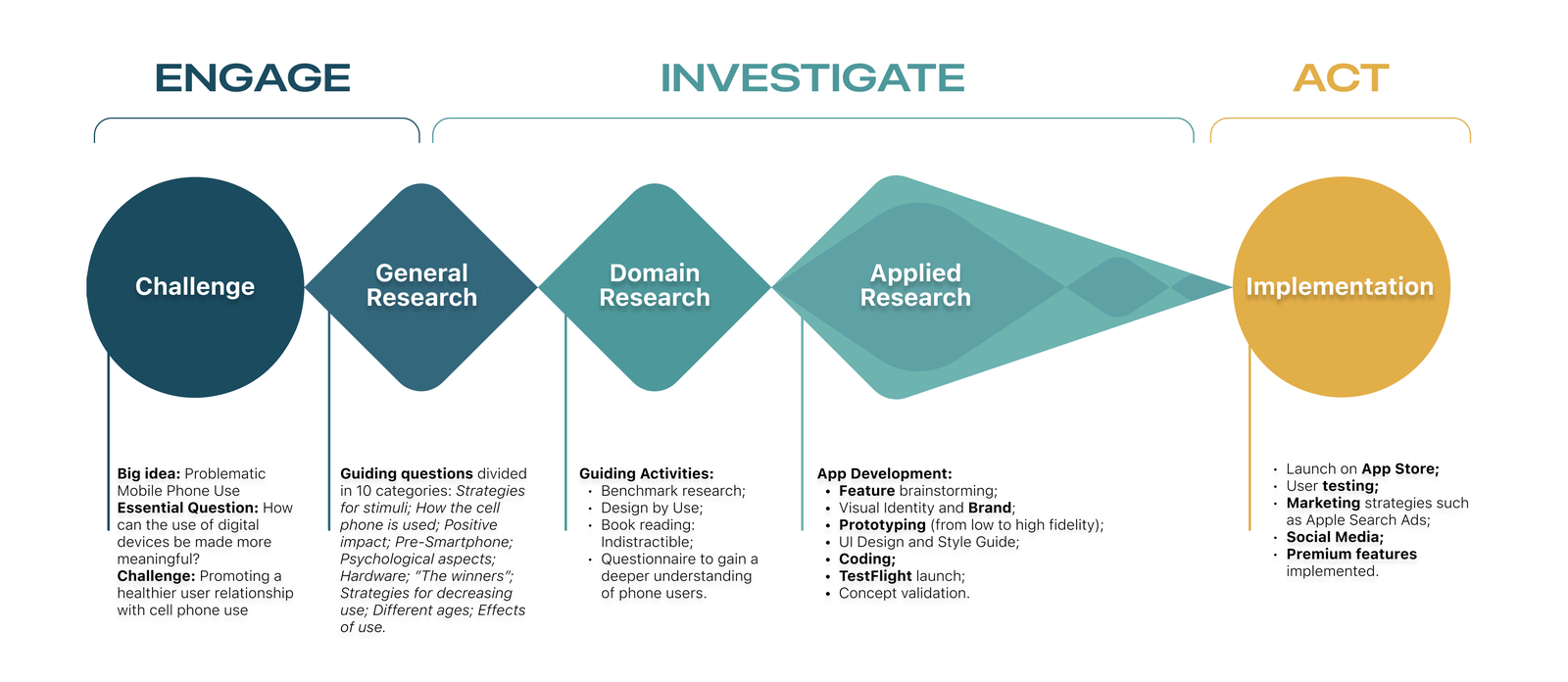
User ResearchPesquisa com Usuários
In order to acquire more information about the multiple facets of the potential target audience, a digital form (using Google Forms) was drawn up with the aim of understanding the main problems, notions and value judgments of smartphone users in their daily life.Para obter mais informações sobre as múltiplas facetas do público-alvo potencial, foi elaborado um formulário digital (usando Google Forms) com o objetivo de entender os principais problemas, noções e julgamentos de valor dos usuários de smartphones em seu dia a dia.
The form had a total of 223 responses and gave the team information to build 3 profiles (personas) representing people with problematic mobile phone usage.O formulário teve um total de 223 respostas e forneceu à equipe informações para construir 3 perfis (personas) representando pessoas com uso problemático do celular.
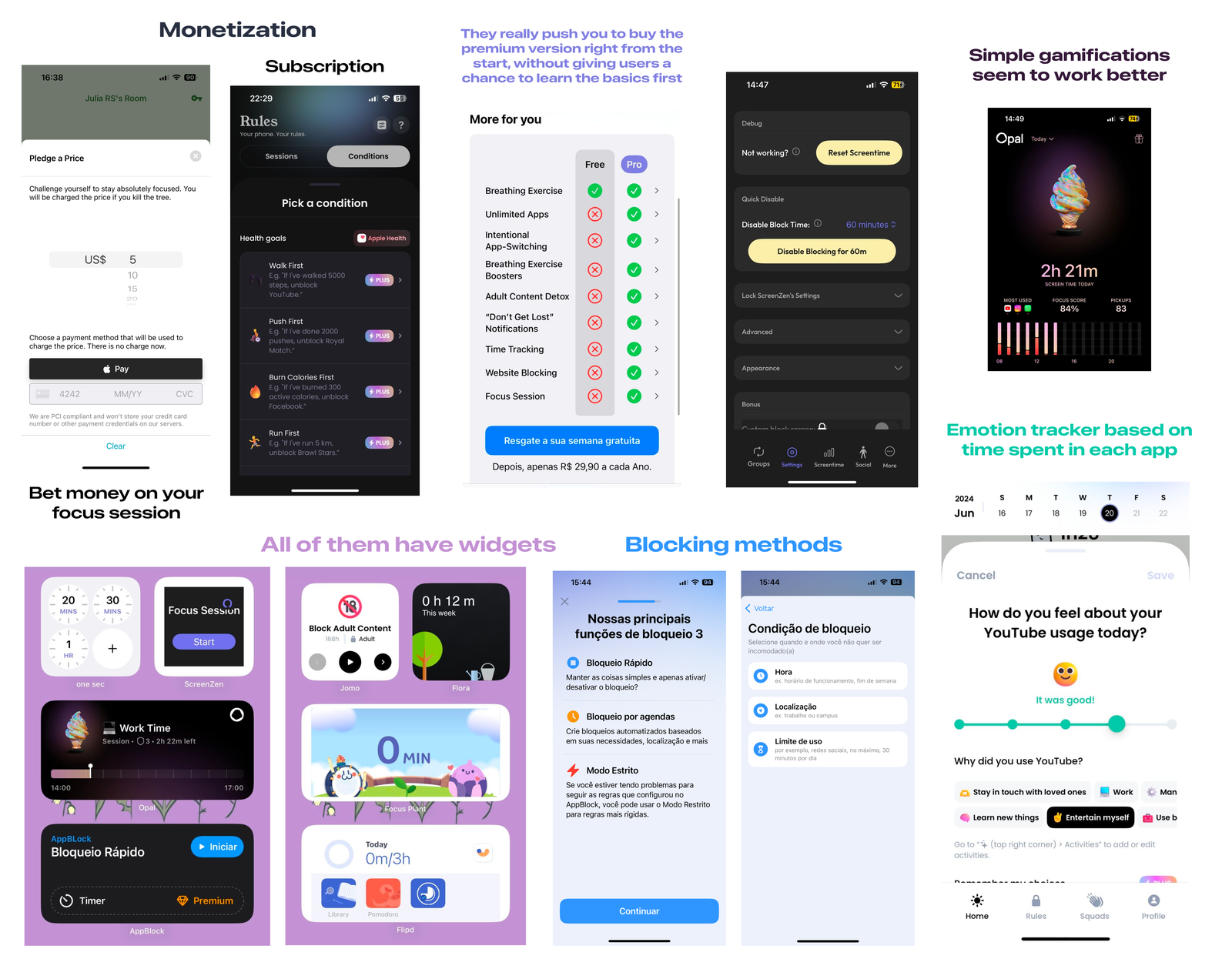
Benchmark ResearchPesquisa de Benchmark
The analysis was conducted with 10 apps using a set of criteria tailored specifically for this kind of app, including business model, premium plan cost, target audience, features, gamification elements, overall user experience, and others.A análise foi realizada com 10 apps utilizando um conjunto de critérios desenvolvidos especificamente para esse tipo de app, incluindo modelo de negócio, custo do plano premium, público-alvo, funcionalidades, elementos de gamificação, experiência geral do usuário, entre outros.
UX insight: Although some apps address this issue, they often fall short, focusing on limiting usage or blocking apps without fully transforming the device.Insight de UX: Embora alguns apps abordem essa questão, muitas vezes eles ficam aquém, focando em limitar o uso ou bloquear apps sem transformar totalmente o dispositivo.
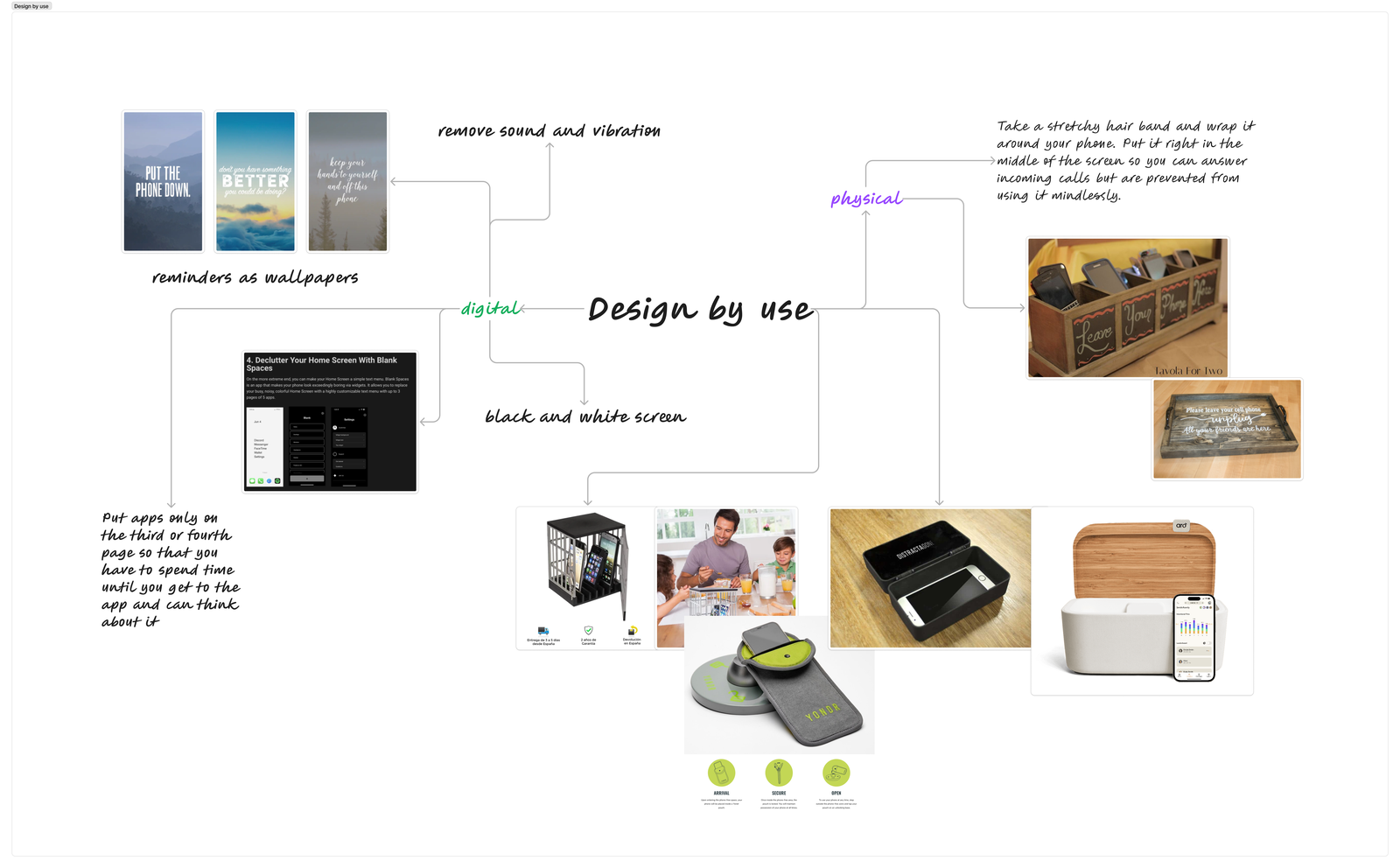
Design in Use ResearchPesquisa de Design in Use
Design in Use refers to the concept that users can adapt existing products to suit their needs, leading to new applications and even changes to the product’s structure. It also encompasses the idea that various usage scenarios can exhibit design-like qualities.Design in Use se refere ao conceito de que usuários podem adaptar produtos existentes às suas necessidades, levando a novas aplicações e até mudanças na estrutura do produto. Também abrange a ideia de que diferentes cenários de uso podem apresentar qualidades semelhantes às do design.
To explore this further, the team researched how people attempt to reduce their cellphone usage, providing valuable insights to inform the development of the product.Para explorar isso mais a fundo, a equipe pesquisou como as pessoas tentam reduzir o uso do celular, fornecendo insights valiosos para orientar o desenvolvimento do produto.
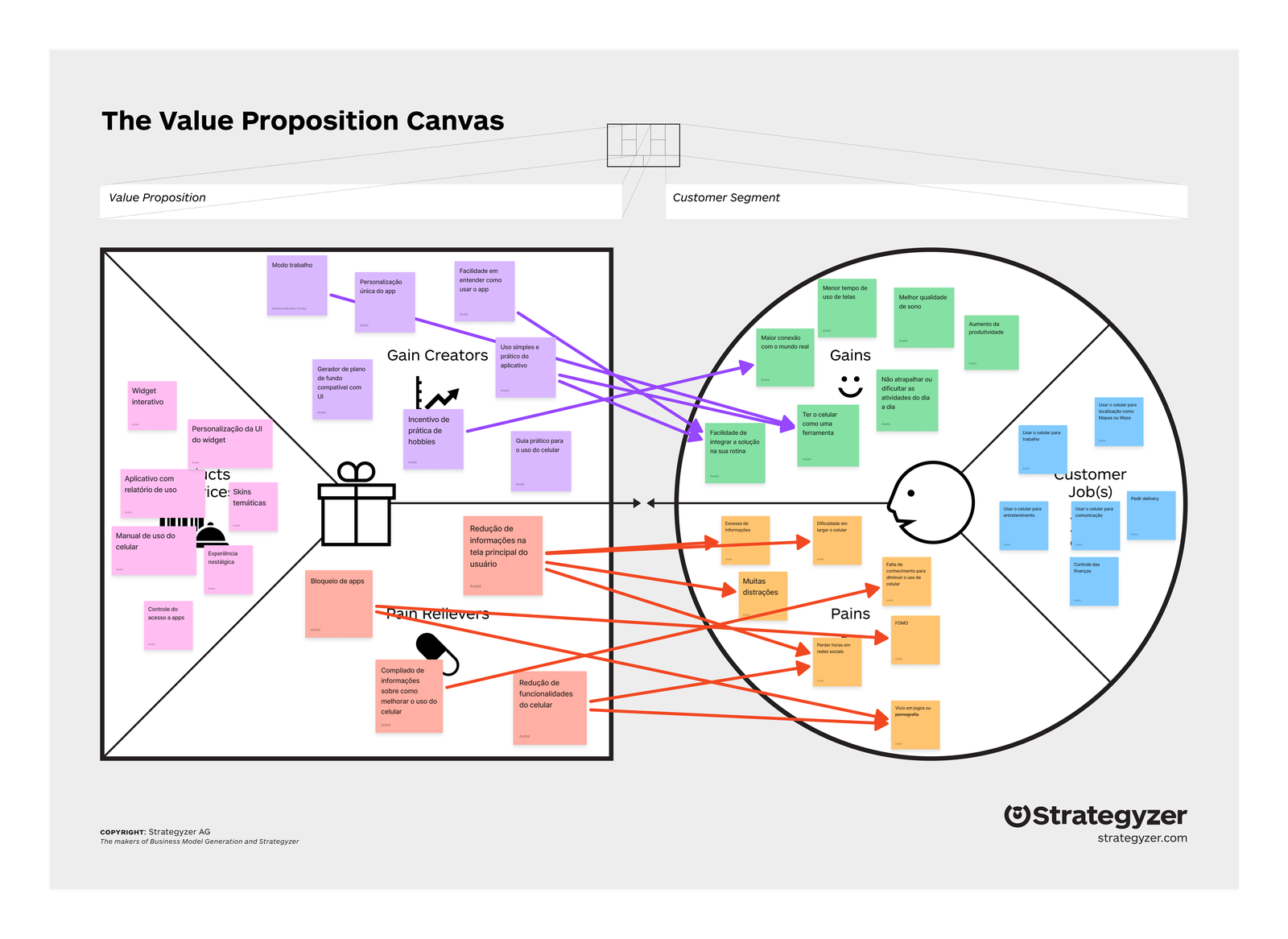
Value Proposition Canvas
User FlowFluxo do Usuário
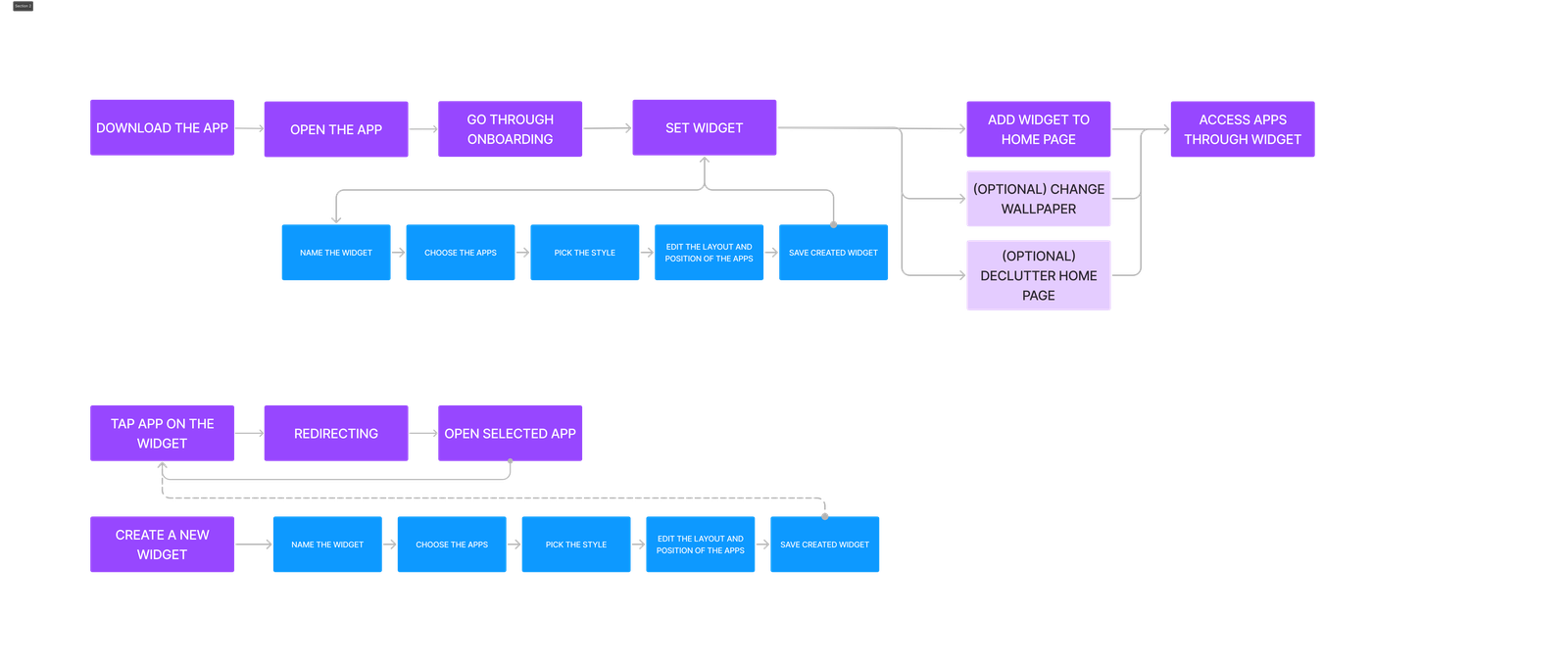
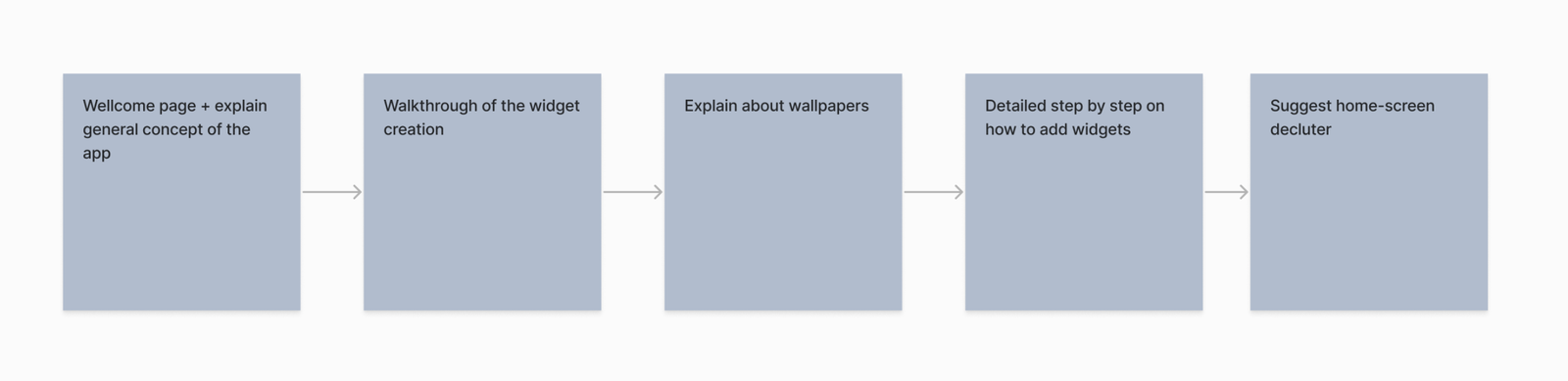
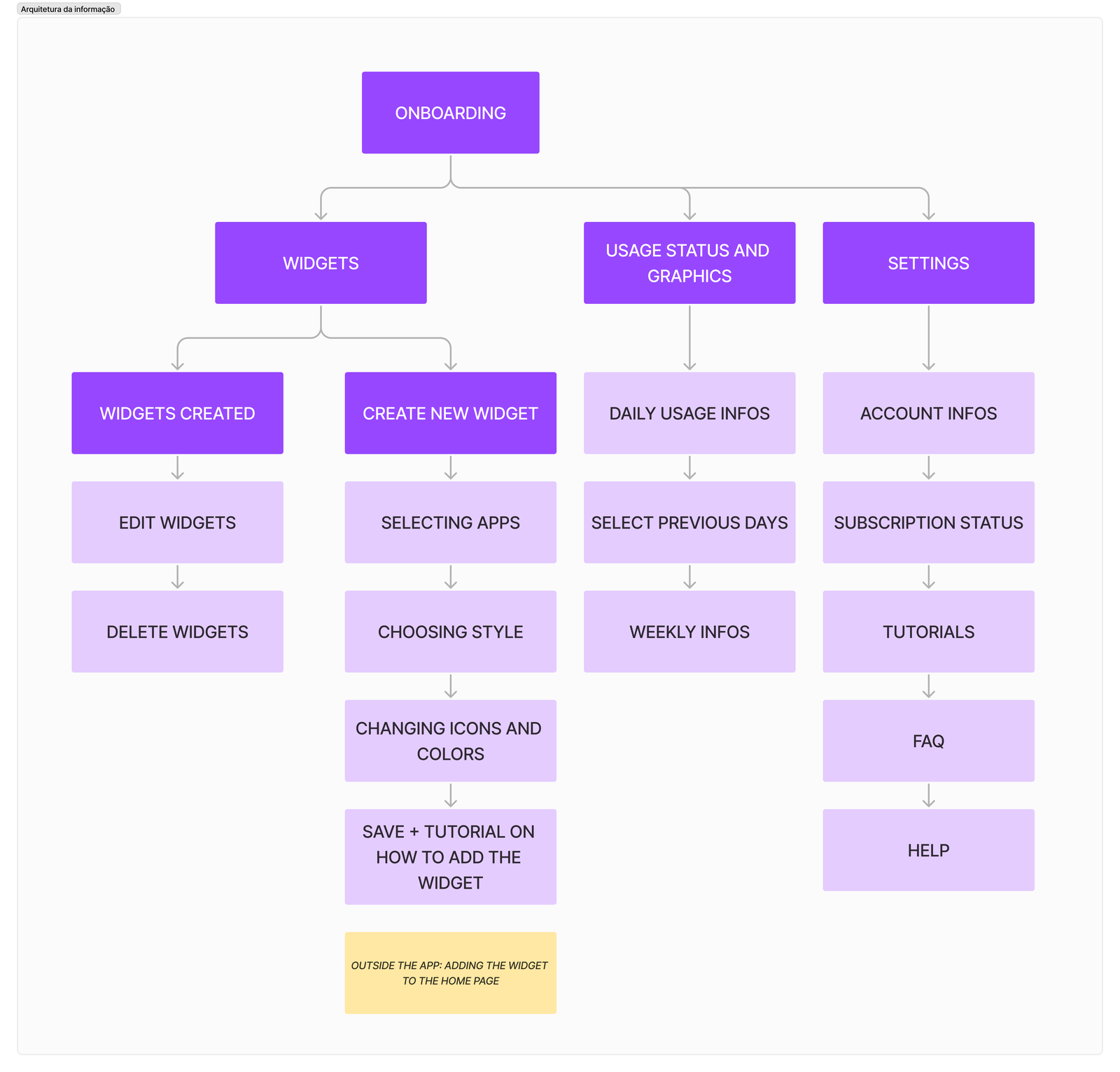
Due to the unique nature of the app’s usage, the onboarding process also had to be carefully planned and mapped out to ensure users understand how the app works and have the best experience possible.Devido à natureza única do uso do app, o processo de onboarding também precisou ser cuidadosamente planejado e mapeado para garantir que os usuários entendessem como o app funciona e tivessem a melhor experiência possível.
Information ArchitectureArquitetura da Informação
MVP (First Prototype)MVP (Primeiro Protótipo)
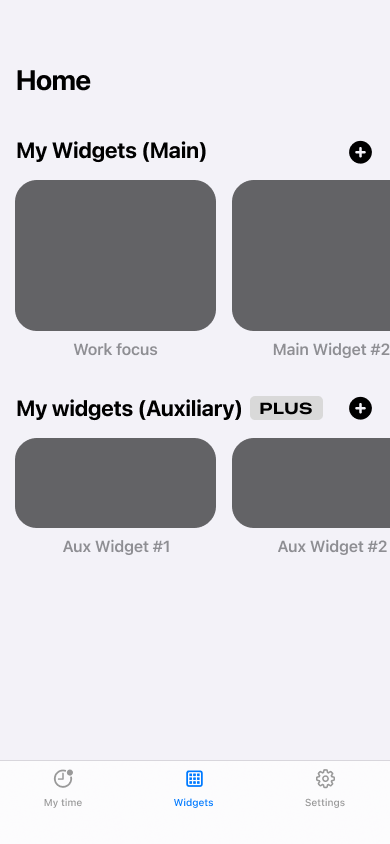
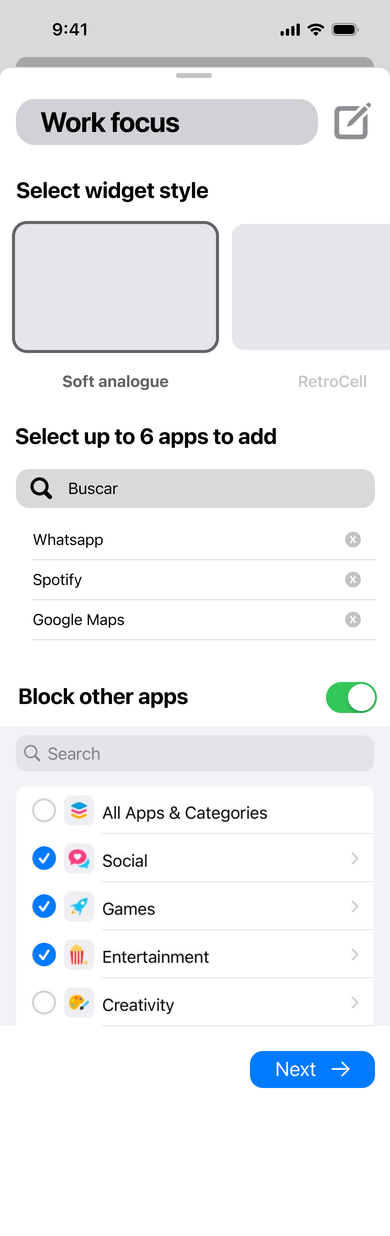
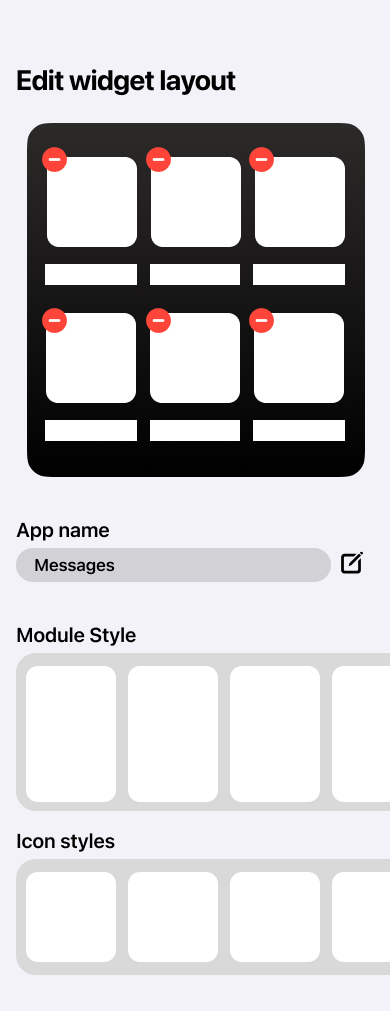
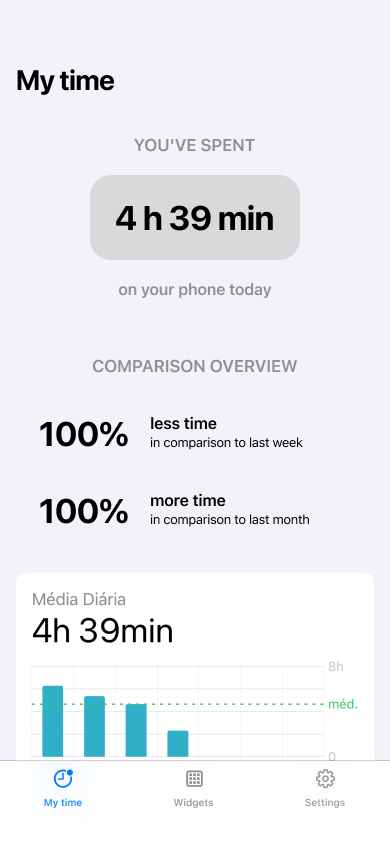
The first prototype was primarily developed by following Apple’s Human Interface Guidelines and utilizing their components, which made the process quicker and more effective for the MVP.O primeiro protótipo foi desenvolvido principalmente seguindo as Human Interface Guidelines da Apple e utilizando seus componentes, o que tornou o processo mais rápido e eficaz para o MVP.
Final User Interface DesignDesign Final da Interface
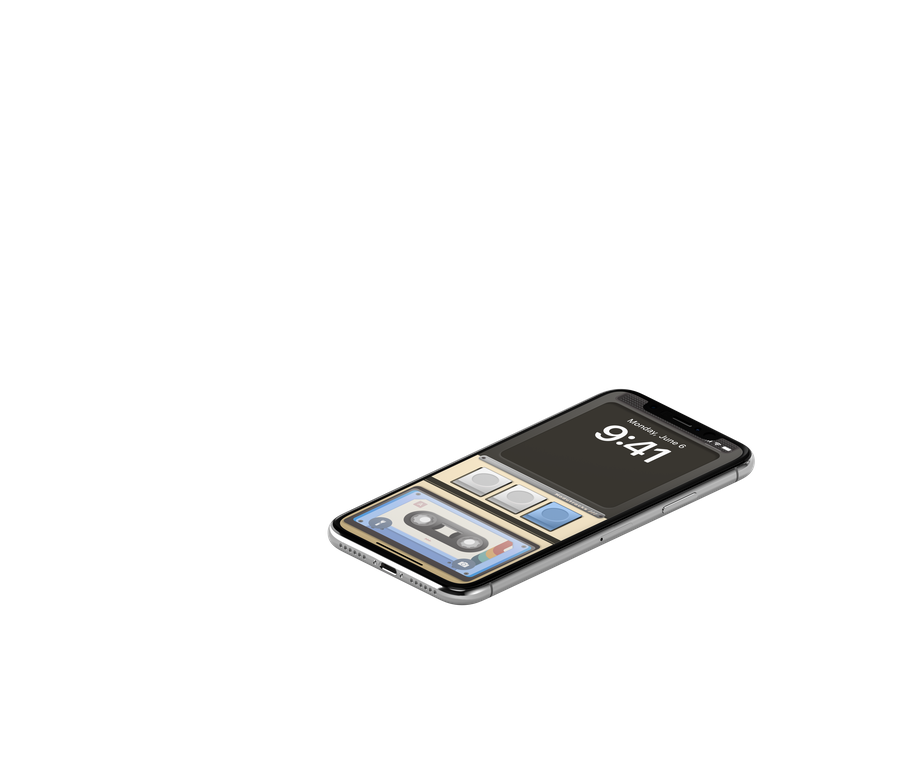
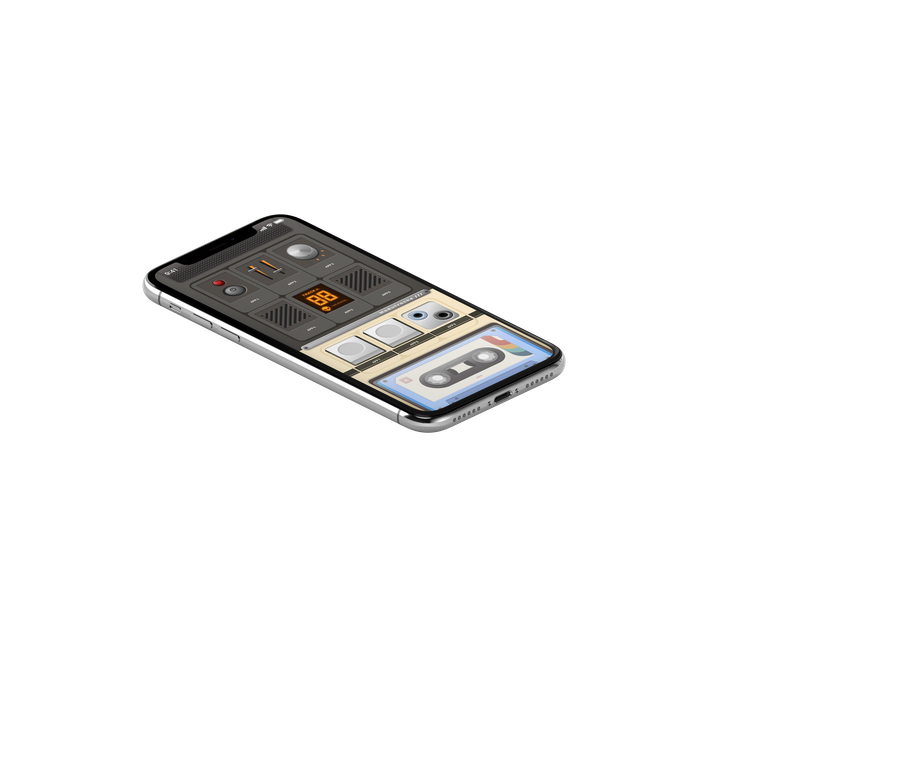
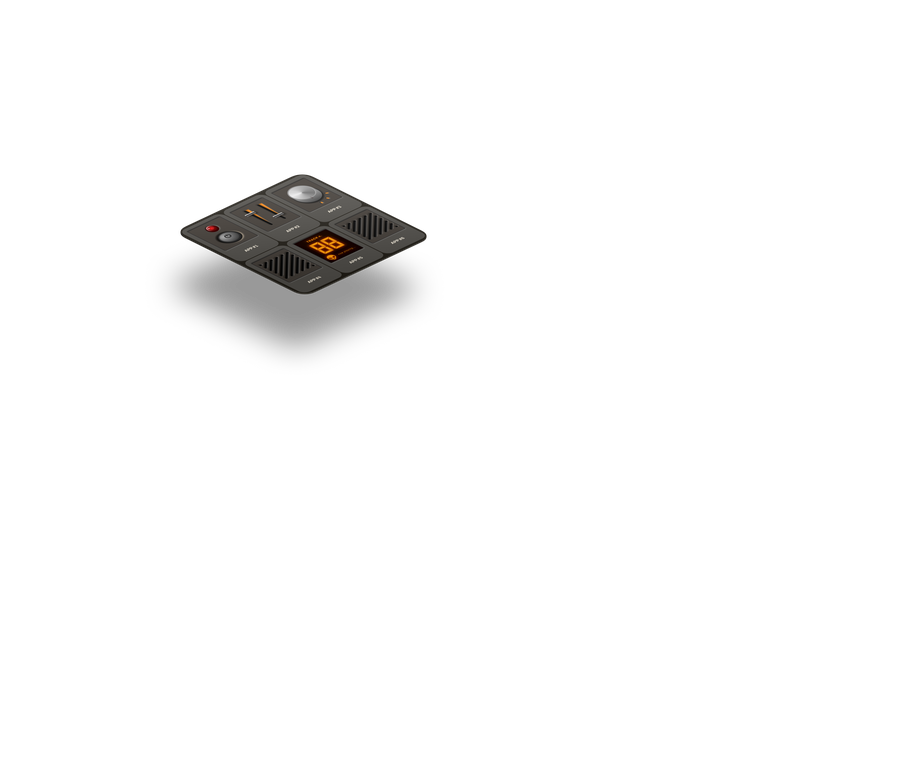
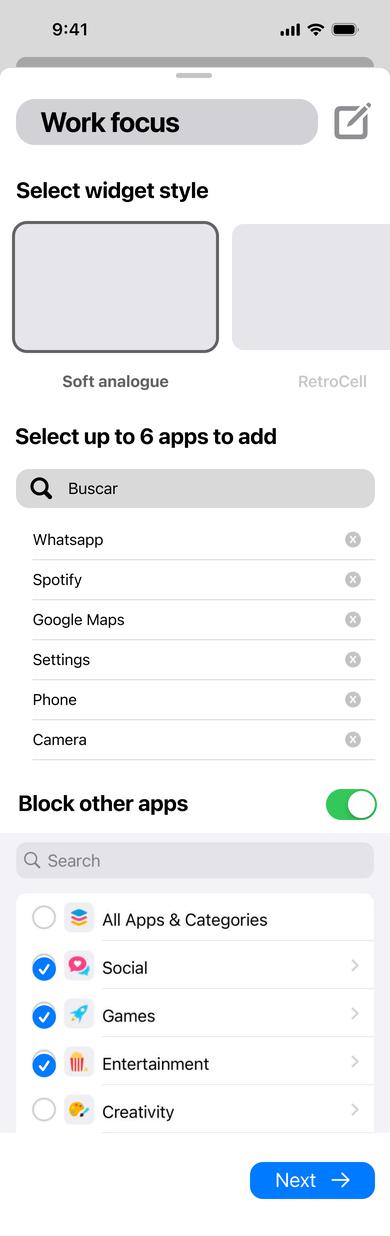
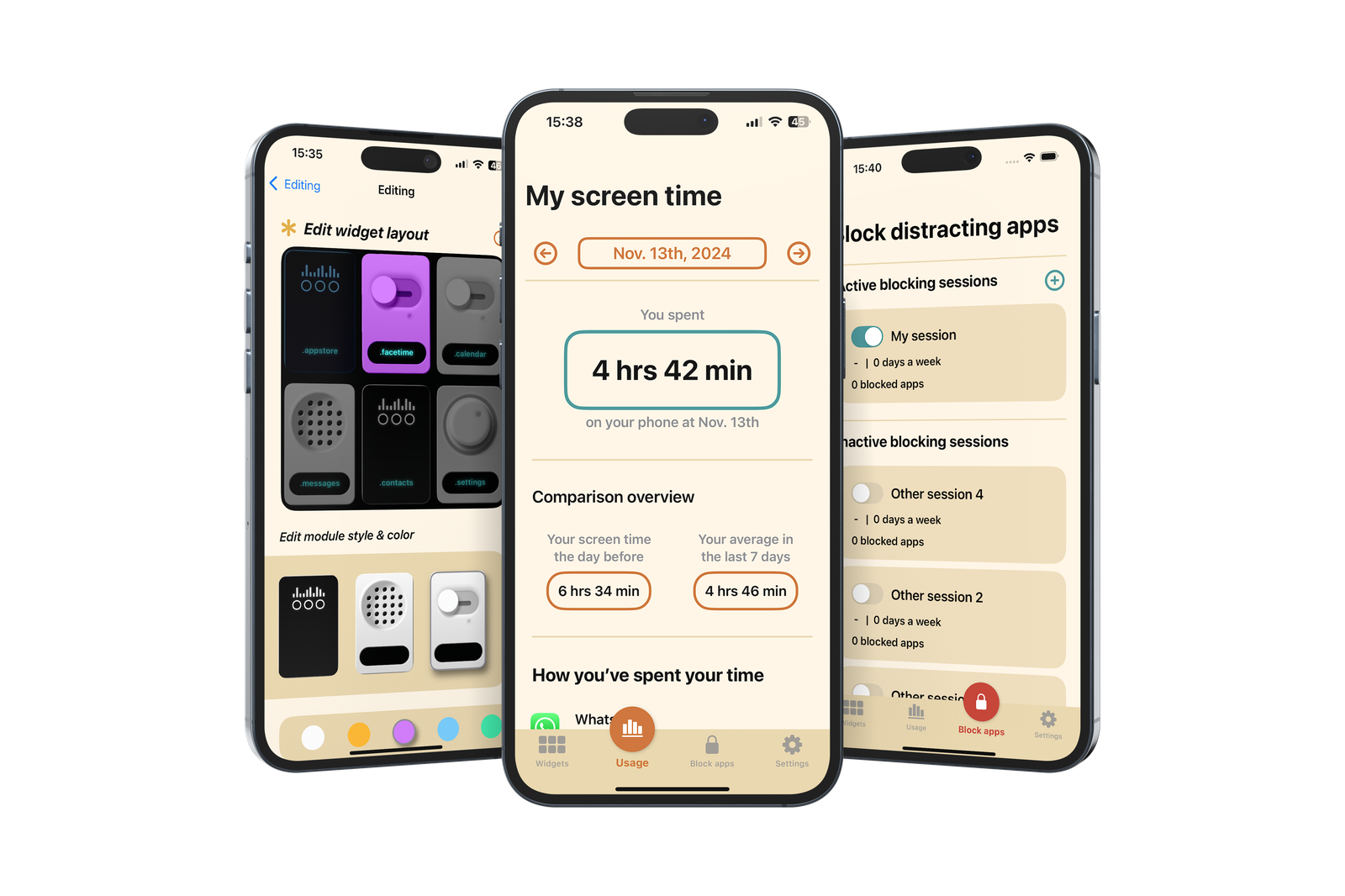
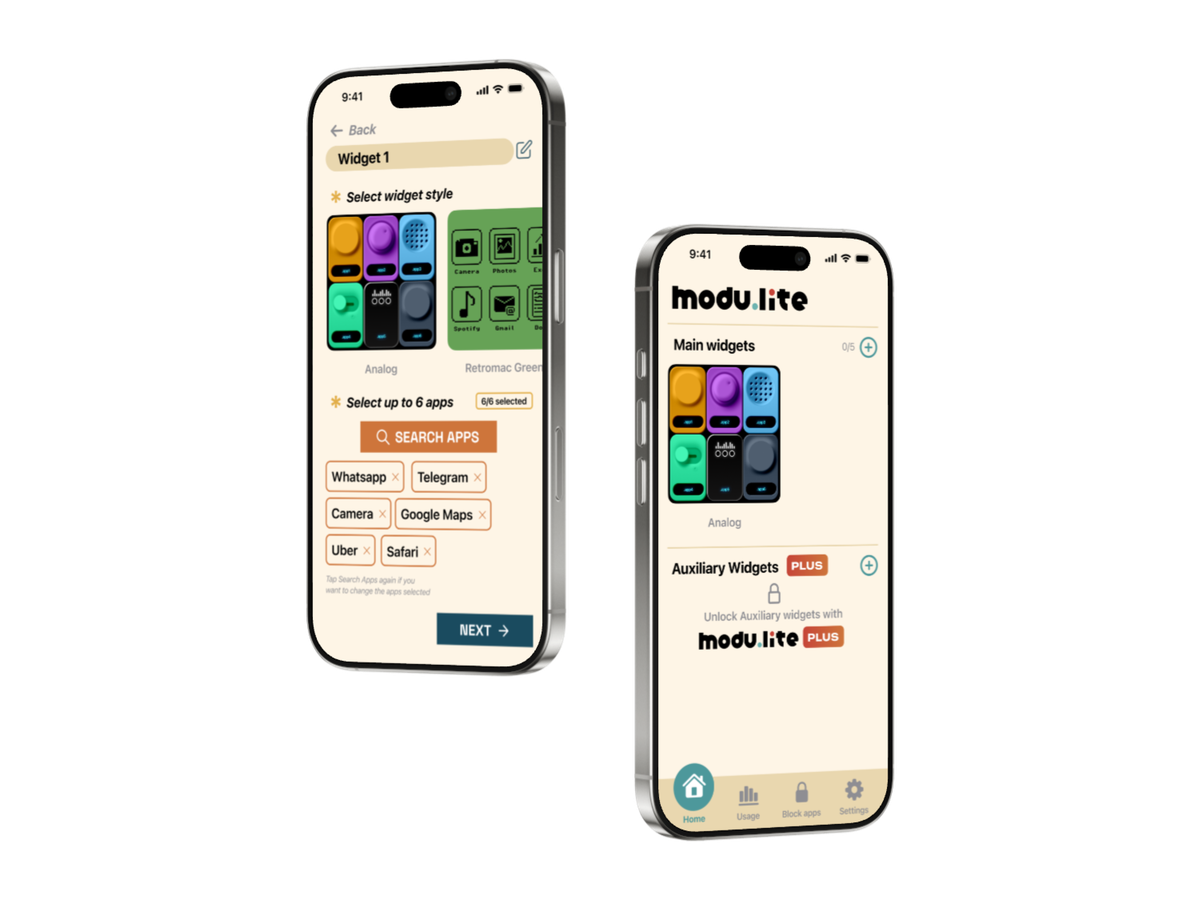
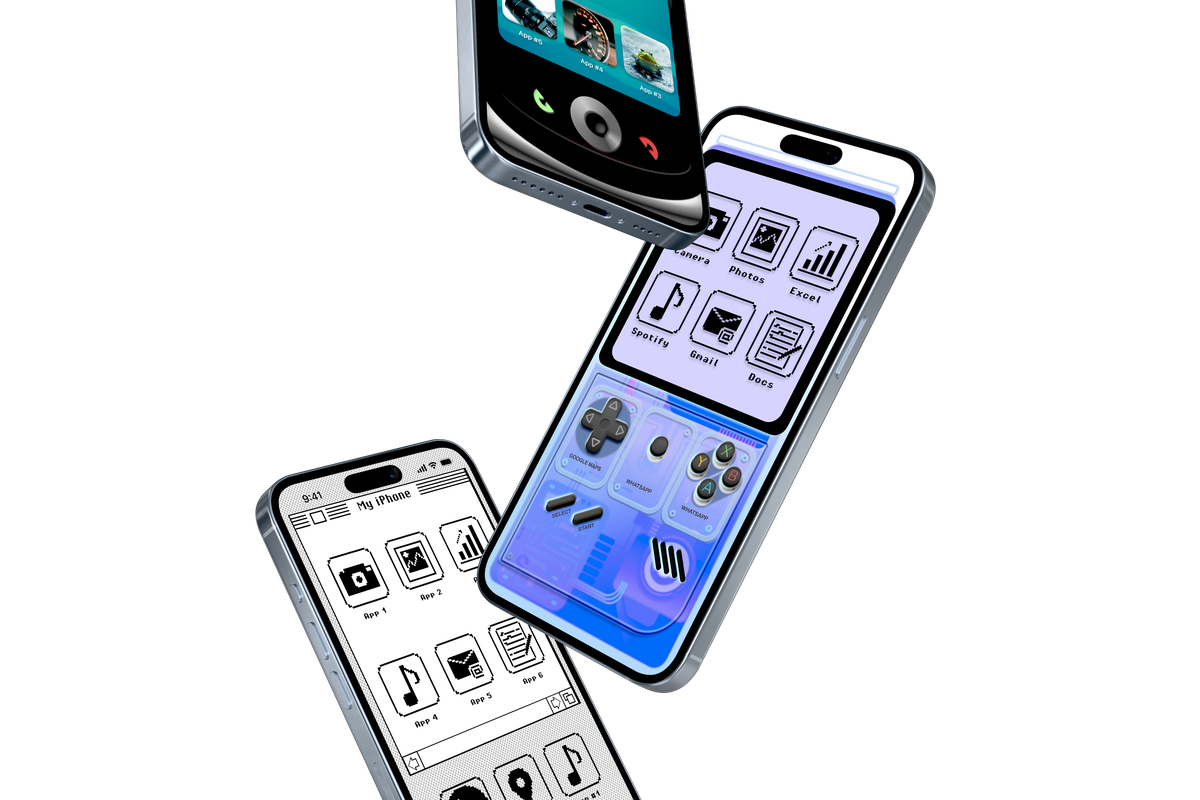
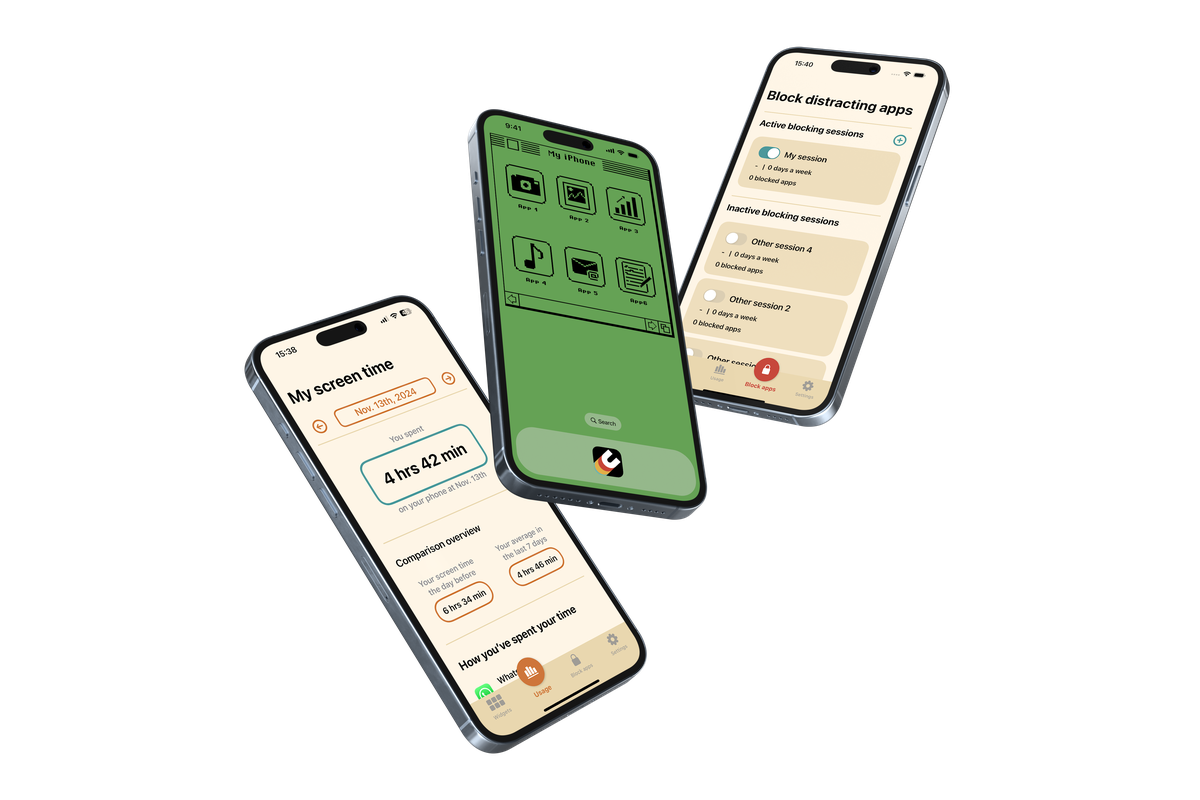
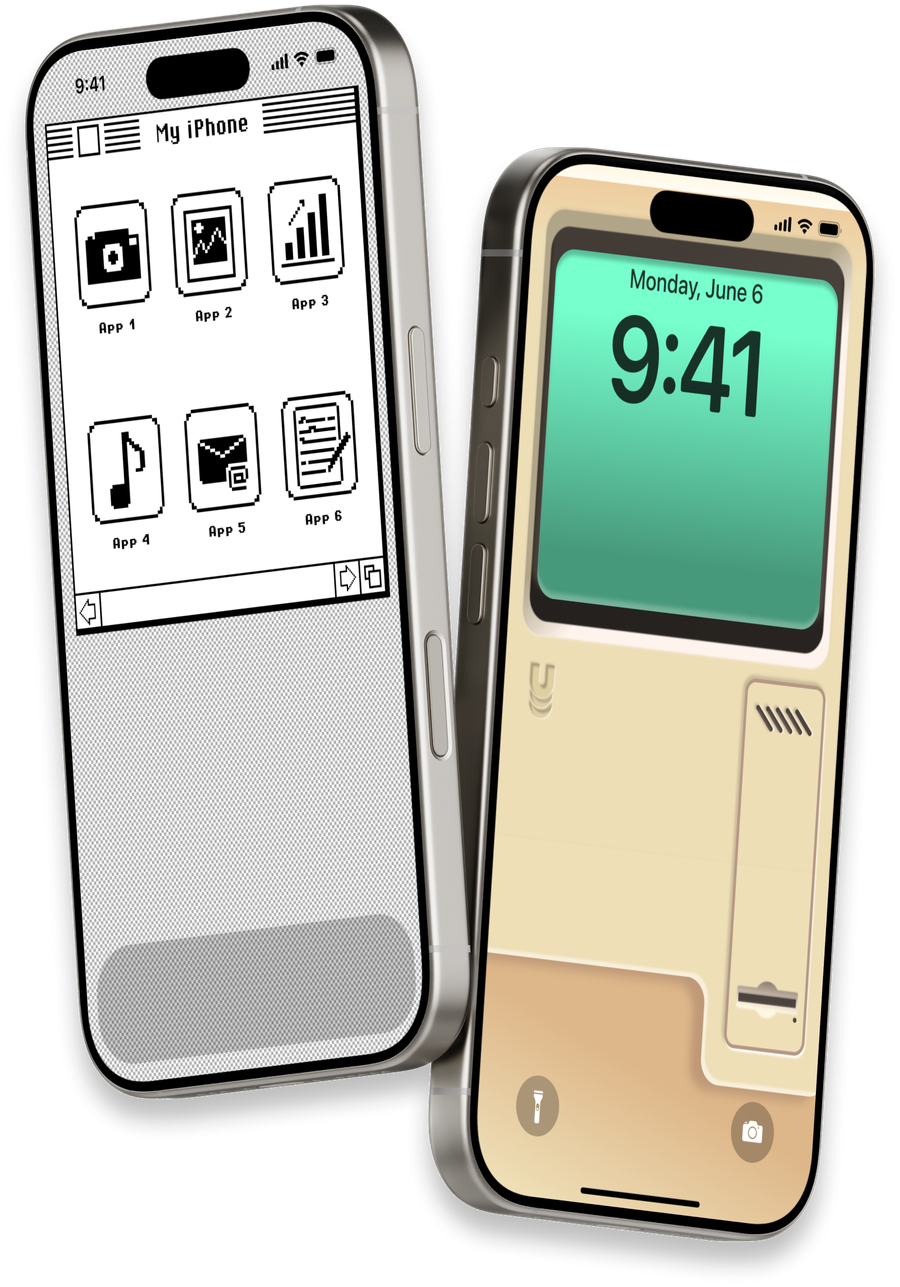
With over 40 screens designed for the final product, the UI design was subsequently handed over to the development team. Below are the final screens for the widget feature, screen time data, and app blocking functionality, along with a mockup of how the widget and background work together.Com mais de 40 telas projetadas para o produto final, o design de UI foi então entregue à equipe de desenvolvimento. Abaixo estão as telas finais para a funcionalidade de widget, dados de tempo de tela e bloqueio de apps, além de um mockup de como o widget e o papel de parede funcionam juntos.
ResultsResultados
- Following thorough user testing, the app launched on the App Store, where it quickly garnered approximately 500 downloads.Após testes extensivos com usuários, o app foi lançado na App Store, onde rapidamente alcançou cerca de 500 downloads.
- Premium features and a subscription plan were later introduced, giving users access to a wider variety of widget skins.Funcionalidades premium e um plano de assinatura foram introduzidos posteriormente, dando aos usuários acesso a uma variedade maior de skins de widget.
- Coordinated an Apple Search Ads campaign, which achieved over 4,800 impressions by targeting search result ads.Coordenou uma campanha de Apple Search Ads, que alcançou mais de 4.800 impressões em anúncios de resultados de busca.
- At the end of the project, the team presented results and process to Apple employees, receiving valuable constructive feedback and compliments.Ao final do projeto, a equipe apresentou os resultados e o processo para funcionários da Apple, recebendo feedback construtivo valioso e elogios.
- The team participated in a round of pitches through a university initiative, gaining valuable experience in defending the app and refining business strategy.A equipe participou de uma rodada de pitches por meio de uma iniciativa universitária, ganhando experiência valiosa em defender o app e refinar a estratégia de negócio.